

Brother · Label printers
Brother QL-800 USB Desktop Label Maker
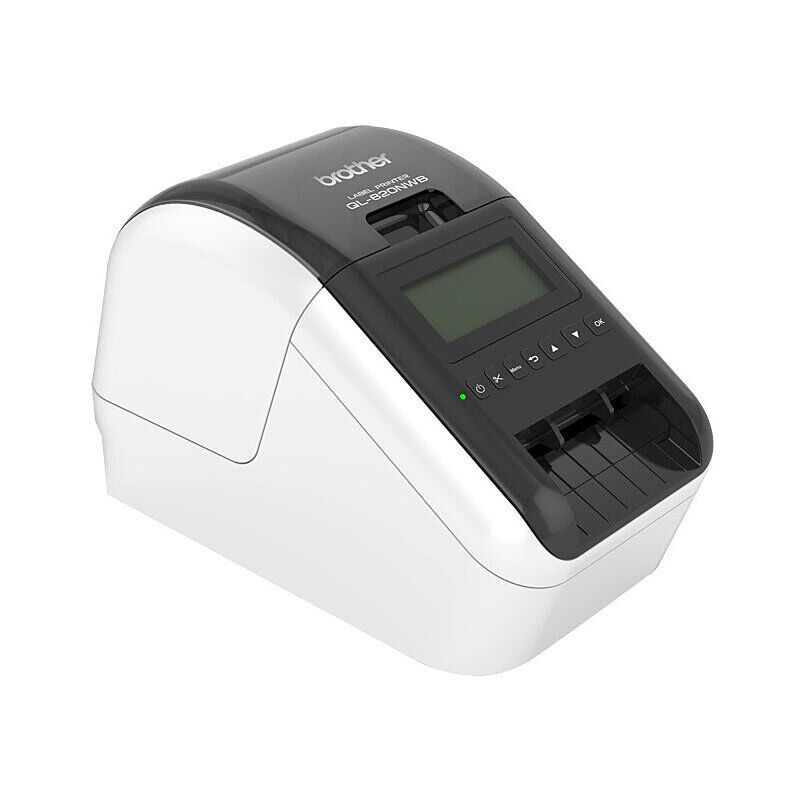
The QL-800 makes address, shipping and identification labels from Brother DK die-cut or continuous rolls. It prints by direct thermal heat and cuts continuous labels automatically.
$124.08
In stock
Useful features
At a glanceDirect thermal label printing
Direct thermal label printing: needs no separate ink or toner cartridge.
Up-to-93 single-colour labels per minute
Up-to-93 single-colour labels per minute: uses the manufacturer's standard address-label test.
Black-and-red output
Black-and-red output: requires the special DK22251 two-colour roll.
Automatic full cutter
Automatic full cutter: trims supported continuous output.
DK media up to 62 mm
DK media up to 62 mm: defines the compatible roll system and width.
USB 2.0 connection
USB 2.0 connection: identifies this model's computer interface without adding wireless functions.
300 × 600 dpi high-resolution mode
300 × 600 dpi high-resolution mode: supplements the 300 × 300 dpi standard mode.
Two starter rolls
Two starter rolls: includes address labels and a five-metre two-colour roll.
OS-specific restrictions
OS-specific restrictions: Windows ARM drivers are unavailable and Linux output is black only in the retained support notice.
The useful features
- Direct thermal label printing: needs no separate ink or toner cartridge.
- Up-to-93 single-colour labels per minute: uses the manufacturer's standard address-label test.
- Black-and-red output: requires the special DK22251 two-colour roll.
- Automatic full cutter: trims supported continuous output.
- DK media up to 62 mm: defines the compatible roll system and width.
- USB 2.0 connection: identifies this model's computer interface without adding wireless functions.
- 300 × 600 dpi high-resolution mode: supplements the 300 × 300 dpi standard mode.
- Two starter rolls: includes address labels and a five-metre two-colour roll.
- OS-specific restrictions: Windows ARM drivers are unavailable and Linux output is black only in the retained support notice.
The useful details
Know what
you’re getting.
The QL-800 makes address, shipping and identification labels from Brother DK die-cut or continuous rolls. It prints by direct thermal heat and cuts continuous labels automatically.
Single-colour printing reaches a manufacturer-rated maximum of 93 standard address labels per minute. The printer can produce black and red on the special DK22251 two-colour continuous roll; standard black-only DK media does not create red. Two-colour speed is lower, up to 24 mm per second in the manufacturer specification.
The Australian package contains a 100-label DK11201 starter roll and a five-metre DK22251 two-colour starter roll, with power cord and printed setup guides. The separate QL-820NWB is the model with Wi-Fi, Bluetooth and a display; those functions are not claimed for this USB-only QL-800.
The special two-colour media makes red highlighting possible without adding an ink cartridge, but choosing the correct roll is essential. Computer support is also material: Brother's Australian support notice does not offer Windows ARM drivers, and its Linux drivers produce black-only output. Those limits remain separate from the hardware's ability to print red with supported software and media.
A closer look
Specifications.
The details that matter.
Specifications
What’s in the box
1 unit QL-800 label maker
1 roll of 100 labels DK11201 address-label starter roll
1 5 m roll DK22251 two-colour 62 mm starter roll
1 cord Power cord
1 cable USB cable
1 set Quick start guide and DK roll guide
Compatibility
Brother DK rolls up to 62 mm; red/black printing requires compatible two-colour DK22251 media. Brother Australia currently offers QL-800 downloads through Windows, macOS and Linux selectors. Its support notice says no drivers are available for ARM-based Windows processors and Linux drivers support black-only output.
System requirements
Connect the QL-800 by USB, load a compatible Brother DK roll, and install the printer driver, P-touch Editor and Printer Setting Tool identified on Brother Australia’s QL-800 support page. OS-specific downloads and limitations must be checked against the customer’s computer.
Keep the cutter and print head clear of fingers; use the Brother cleaning and roll-loading instructions. Unplug before maintenance.
Uses Brother DK rolls rather than TZe cassette tapes. Red/black output requires compatible two-colour DK media. Brother Australia currently says no Windows ARM driver is available and Linux drivers print black only.
Replacement compatible Brother DK rolls, sold separately.
1.15 kg
125.3 × 213 × 142 mm; axis labels differ across Brother sources
Verify current rating plate before a specific mains-input claim.
Delivery and returns
GOOD TO HAVE