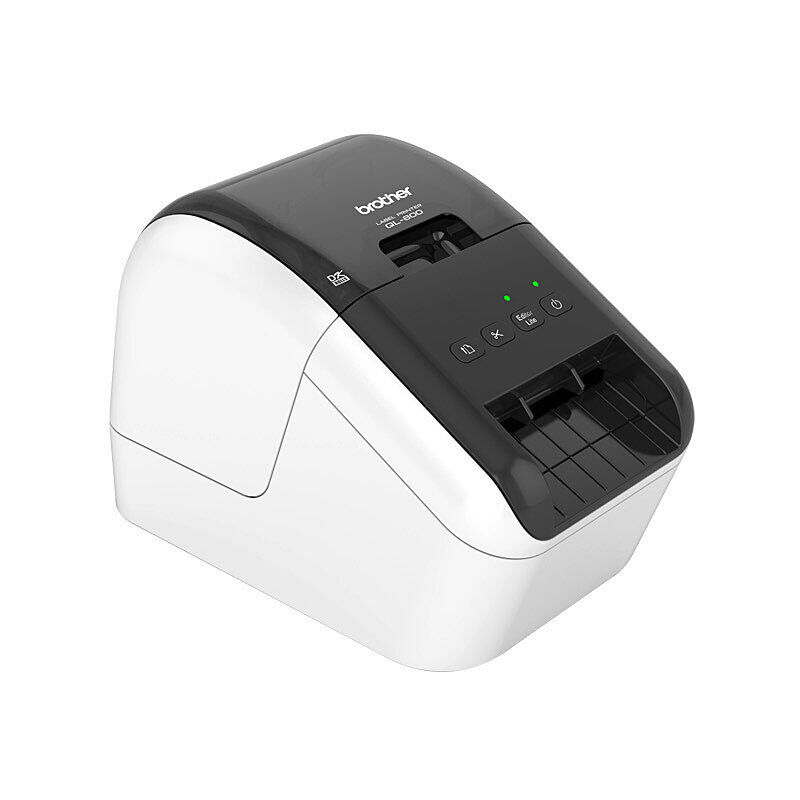
Brother · Label printers
Brother QL-820NWB Network Desktop Label Maker
The QL-820NWB prints Brother DK die-cut and continuous labels for addresses, shipping, retail and food-service tasks. It connects over USB, wired Ethernet, Wi-Fi or Bluetooth.
$287.36
In stock
Useful features
At a glanceUp-to-110 standard labels per minute
Up-to-110 standard labels per minute: uses the manufacturer's single-colour address-label test.
USB, Ethernet, Wi-Fi and Bluetooth
USB, Ethernet, Wi-Fi and Bluetooth: provide the connection choices.
Backlit LCD
Backlit LCD: supports local template selection and operation.
Up to 255 stored templates
Up to 255 stored templates: is limited by the 6 MB memory.
Black-and-red printing
Black-and-red printing: requires compatible DK22251 two-colour media.
Automatic cutter
Automatic cutter: separates supported continuous DK labels.
One-metre maximum label length
One-metre maximum label length: defines the continuous-output limit.
DK rolls up to 62 mm
DK rolls up to 62 mm: identifies the compatible media system.
Two starter rolls and power accessories
Two starter rolls and power accessories: accompany the printer, USB lead and guides in the specified pack.
Optional battery
Optional battery: must be obtained separately for the supported rechargeable arrangement.
The useful features
- Up-to-110 standard labels per minute: uses the manufacturer's single-colour address-label test.
- USB, Ethernet, Wi-Fi and Bluetooth: provide the connection choices.
- Backlit LCD: supports local template selection and operation.
- Up to 255 stored templates: is limited by the 6 MB memory.
- Black-and-red printing: requires compatible DK22251 two-colour media.
- Automatic cutter: separates supported continuous DK labels.
- One-metre maximum label length: defines the continuous-output limit.
- DK rolls up to 62 mm: identifies the compatible media system.
- Two starter rolls and power accessories: accompany the printer, USB lead and guides in the specified pack.
- Optional battery: must be obtained separately for the supported rechargeable arrangement.
The useful details
Know what
you’re getting.
The QL-820NWB prints Brother DK die-cut and continuous labels for addresses, shipping, retail and food-service tasks. It connects over USB, wired Ethernet, Wi-Fi or Bluetooth. Its backlit LCD and control panel can select stored templates and print without an attached computer after those templates have been prepared.
Brother rates single-colour output at up to 110 standard address labels per minute. Black-and-red output is available only with compatible two-colour DK22251 media and is slower. The automatic cutter trims continuous labels up to one metre long. P-touch Editor supports more detailed label design and template transfer.
The Australian package contains the label maker, two starter rolls, USB cable, AC adapter and power cord plus guides. The optional rechargeable battery is separate. Use DK rolls no wider than 62 mm; Brother TZe tape cassettes belong to a different label system.
The stored-template limit is 255 within 6 MB, so capacity depends on the designs transferred. Wireless connection options do not remove the need for the appropriate setup software and network. The starter two-colour roll supplies the media needed to try red highlighting; standard black-only rolls cannot produce it.
DK roll label maker with USB, Ethernet, Wi-Fi, Bluetooth and an onboard LCD.
Address, parcel, file, shelf and inventory labels with suitable Brother DK rolls.
Home, office and business users needing desktop label printing.
A direct-thermal print head marks compatible DK media, then the cutter separates labels as needed.
A closer look
Specifications.
The details that matter.
Specifications
What’s in the box
1 unit QL-820NWB label maker
1 roll of 100 labels DK11201 address-label starter roll
1 5 m roll DK22251 two-colour 62 mm starter roll
1 cable USB cable
1 set AC adapter and power cord
1 set Quick start guide and DK roll guide
Compatibility
Brother DK rolls up to 62 mm. Two-colour output requires DK22251. Brother TZe cassettes are not compatible. Battery accessory is optional.
App and setup
Install or launch the appropriate Brother label software, connect the interface and load a DK roll.
Keep the cutter and print head clear of fingers; use the Brother cleaning and roll-loading instructions. Unplug before maintenance.
Brother DK rolls up to 62 mm. Two-colour output requires DK22251. Brother TZe cassettes are not compatible. Battery accessory is optional.
Replacement compatible Brother DK rolls, sold separately.
Replacement compatible Brother DK rolls, sold separately.
1.16 kg
125.3 × 234 × 145 mm; axis labels differ across Brother sources
External 100–240 V AC adapter; USB 2.0, wired Ethernet, 802.11b/g/n Wi-Fi, Bluetooth 2.1+EDR.
Delivery and returns
GOOD TO HAVE